Introduction
For more information see 16-Pin Heavy Duty OBD-II T-Harness Kit for GO10 and GO10 Plus - HRN-XGS16K2-HD support document.
Recommended Tools & Consumables
Hardware & Accessories


-
-
WARNING! Only use Geotab telematics devices with Geotab-approved harnesses acquired from Geotab-authorized channels. Use of non-Geotab harnesses from unauthorized channels can cause serious safety risks, including fire, and can lead to serious personal injury and/or damage to the vehicle.
-
IMPORTANT: Always use a vehicle-specific harness when offered by Geotab or the vehicle manufacturer to avoid possible damage to the GO device. Some vehicles have multiple diagnostic connectors to choose from when installing a GO device.
-
For more information on Geotab harnesses and adapters, refer to the Harness Identification and Application & Harness Assessment Cheat Sheet & Geotab Truck Solution - Harness Identification and Application
-
If a longer length is required to facilitate installation, connect a straight harness to a T-harness. Ensure that the total harness length does not exceed 2 meters (6.5 feet), because this can compromise the integrity of the data and cause issues with the vehicle’s Engine Control Unit (ECU).
-
For more details on compliance information and applicable products, contact your Authorized Reseller.
-
-
-
Some installations are not straightforward and must be completed by an Authorized Installer to ensure a secure installation.
-
Ensure you use enough cable ties to secure both the device and the harness to the vehicle. An unsecure device can result in poor electric and/or data connections, which can lead to short circuits and fires or cause malfunctions of vehicle controls that can result in serious personal injury or significant damage to the vehicle.
-
Some examples requiring professional installation from an Authorized Installer are:
-
The OBD port location is such that the device could protrude or interfere when entering or exiting the vehicle, or located where it could be inadvertently kicked or bumped during vehicle operation. The device isn't fully secured and may be able to vibrate loose or get kicked or knocked. An electrical harness or additional wiring is required.
-
Vehicle mounting modifications are required to secure the device, such as removing of panels. The OBD connector has been deformed/damaged or there is physical damage visible to the electrical wiring.
-
The device does not power on and beep six times when first installed.
-
The installer questions their ability to complete a secure installation according to these instructions.
-
-
-
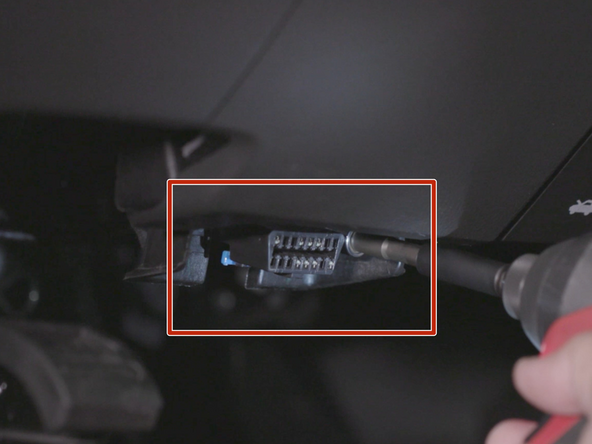
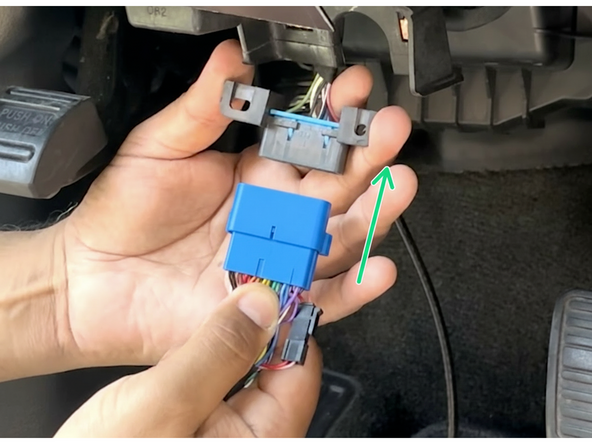
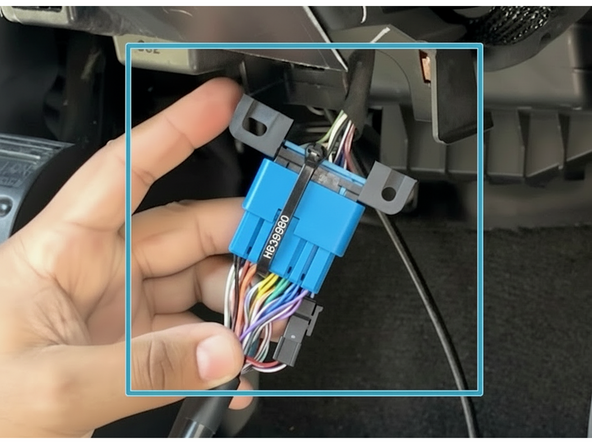
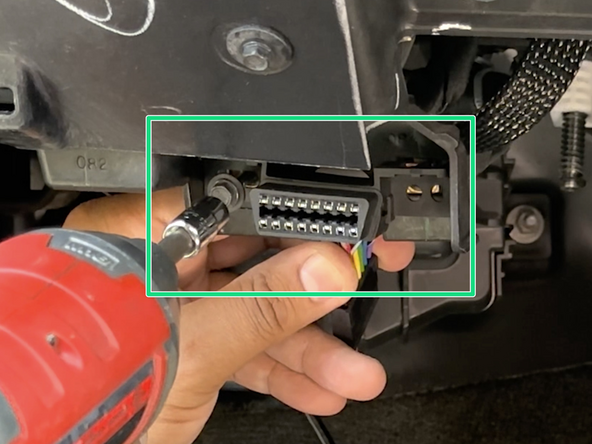
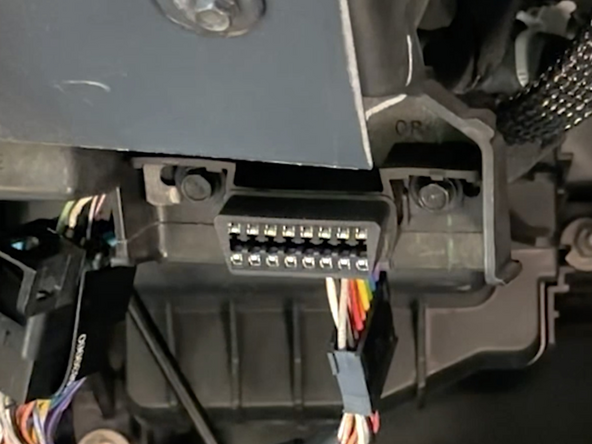
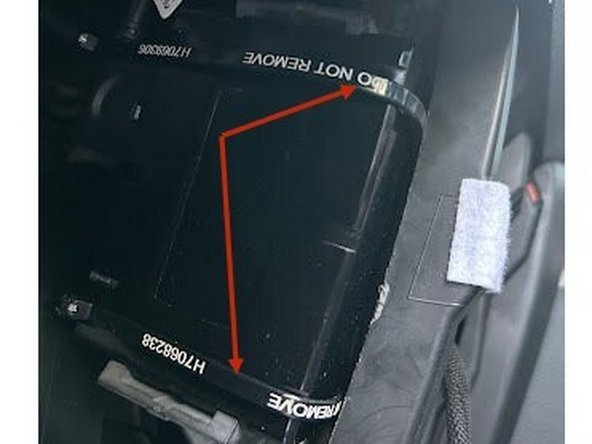
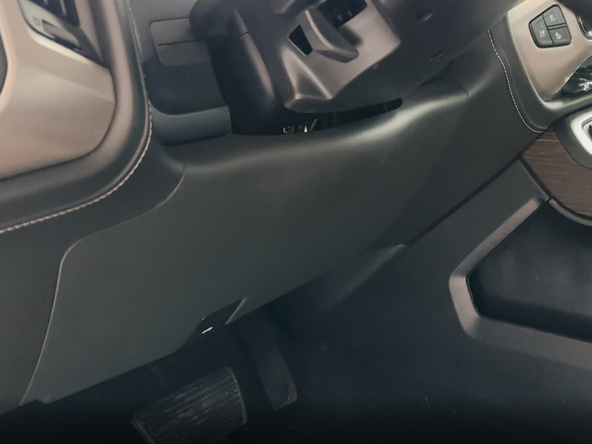
Locate & remove the diagnostic port from its factory location.
-
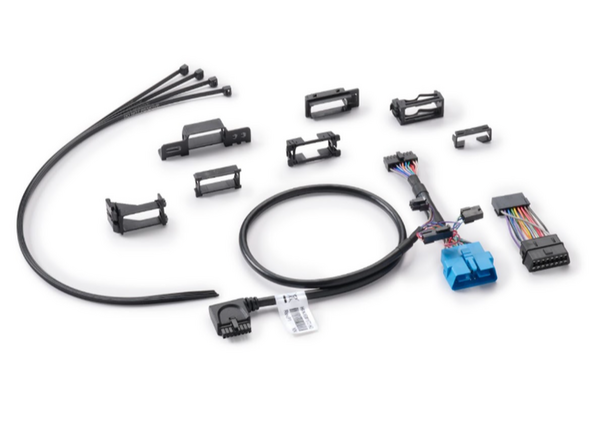
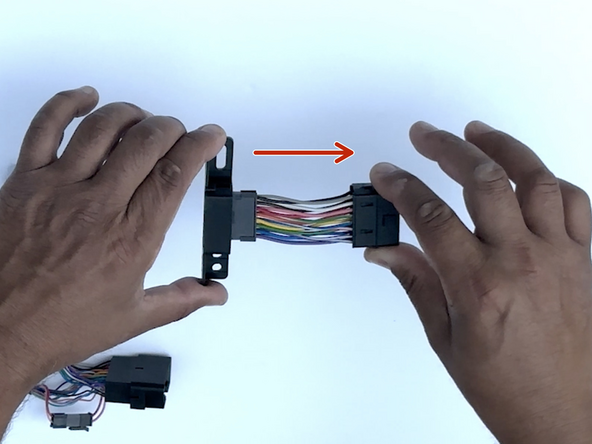
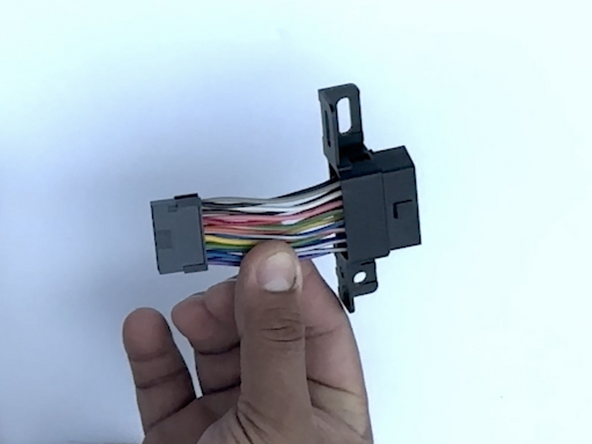
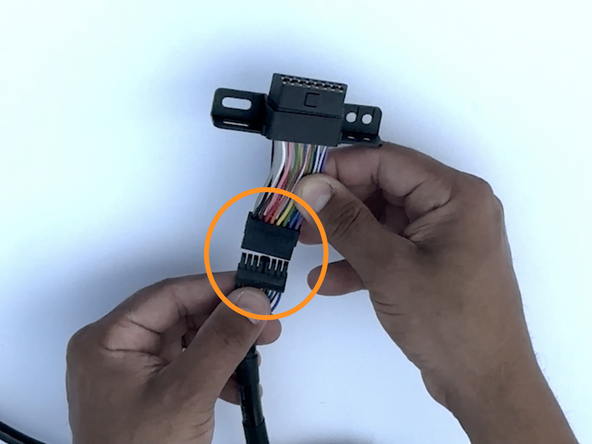
Identify the adapter required for installation from the parts included in the kit.
-
See here for general identification.
-
-
-
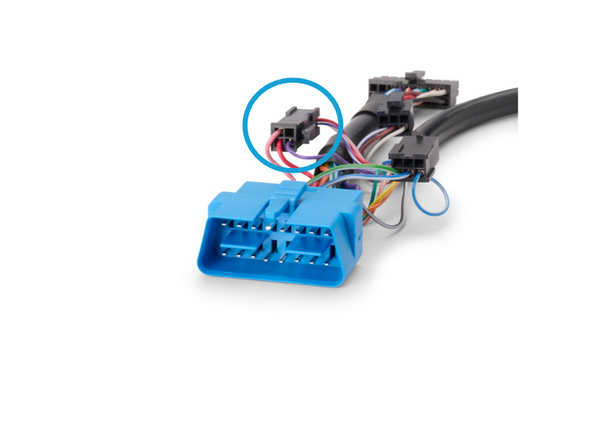
! IMPORTANT: For Ethernet bypass (pins 3 and 11), disconnect the 4-pin Molex connector. This applies to select vehicles, refer to DoIP Ethernet Bypass for 16-pin Harnesses for the applicable vehicle list.
-
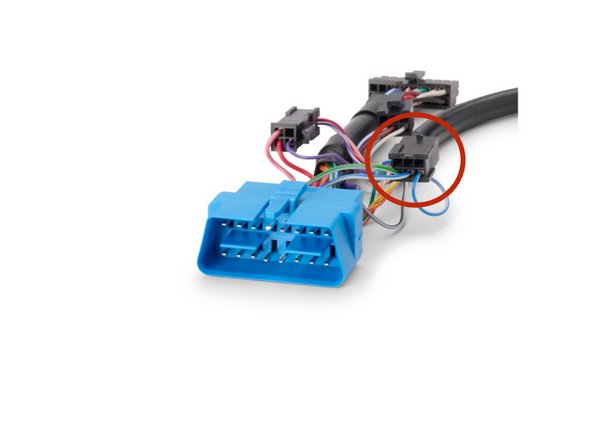
For 2024+ VOLVO Trucks and Busses, be sure to unplug the 4-pin connector and plug in the 6-Pin Molex connector.
-
For VOLVO construction equipement UNPLUG both the 4-pin and 6-pin connectors.
-
-
-
If installing an IOX accessory please use the correct guide from here before performing the steps below.
-
-
-
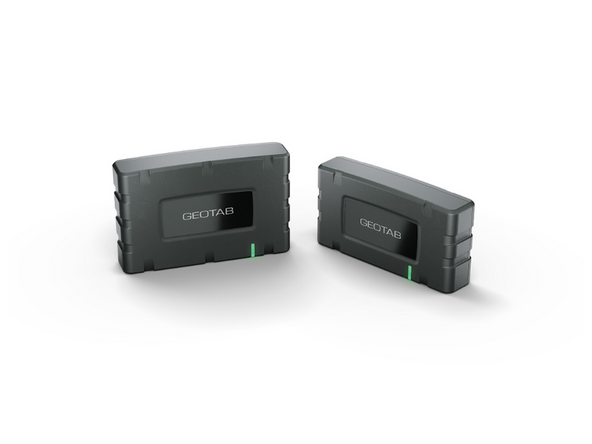
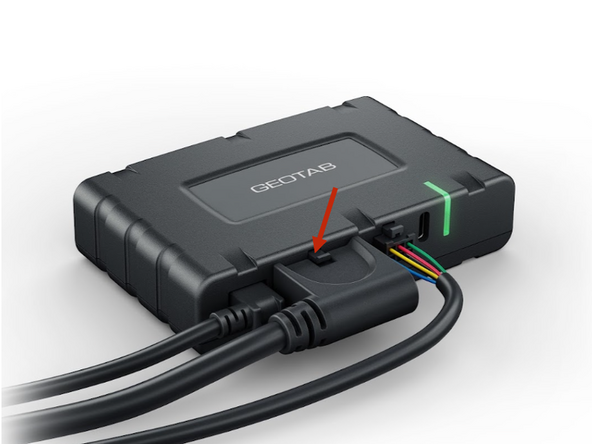
Plug Harness into the GO Device.
-
Be sure it clips in place. Due to this clip securing the connection a cable tie is not required.
-
-
-
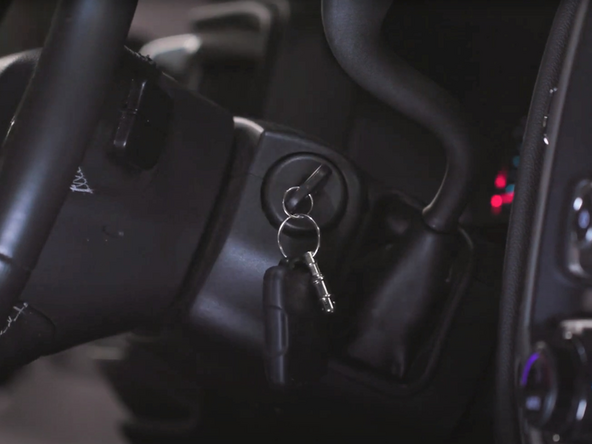
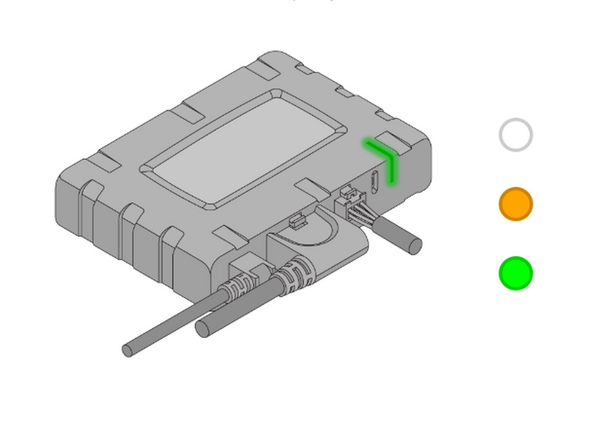
After 30 seconds, you should see a solid green light. If not, look for the LED pattern and troubleshoot using the below steps:
-
Slowly flashing WHITE - Initializing/waking up - Do not power off device, wait for it to finish.
-
Quickly flashing WHITE - Firmware updating - Do not power off device, wait for update to finish.
-
Quickly flashing ORANGE - Weak/No cell signal - Move vehicle to area with better cellular coverage.
-
Flashing ORANGE twice - Weak/No GPS signal - Ensure device has a clear view to the sky.
-
Solid GREEN - Device is operating normally - No action needed.
-
Quickly flashing GREEN - No ignition - Ensure Vehicle ignition is on.
-
Flashing GREEN every 3 seconds - Light Sleep - Device is sleeping, no action is needed.
-
-
-
Route device to mounting location as needed.
-
Ensure cable does not interfere with any moving parts.
-
Sercure harness as needed with cable ties.
-
Secure device using 2 cable ties.
-
To ensure good data quality, the decice must be firmly secured with no free movement!
-
-
-
NOTE: US customers need to attach the Geotab CARB EO identification label sticker next to their Vehicle Emissions Control Information label which can be found inside the engine compartment (Light Duty vehicles) or on the drivers door jamb (Heavy Duty vehicles).
-
! IMPORTANT: USA Only: Place the enclosed CARB Executive Order (EO) identification label sticker somewhere near the Vehicle Emission Control Information label on a smooth and clean surface.
-
The EO identification label is required to aid inspection of the vehicle under the California Smog Check program and other applicable smog test programs. See here for more info.
-
-
-
Navigate to one of the following:
-
-
-
Note that the following steps are for the public version of MyInstall.
-
If you have an installer MyAdmin account, use this link
-
This link is also accessible via the MyInstall Public page.
-
-
-
Please visit Limitations of Use
-
Your in-vehicle devices must be kept clear of debris, water and other environmental contaminants. Failure to do so may result in units malfunctioning or short-circuiting, which can lead to a fire hazard and cause loss or serious injury.
-
This product does not contain any user-serviceable parts. Configuration, servicing, and repairs must only be made by an authorized reseller or installer. Unauthorized servicing of these products will void your product warranty.
-
The simplified EU declaration of conformity referred to in Article 10(9) shall be provided as follows:
-
Hereby, Geotab (Address: 2440 Winston Park Drive, Oakville, Ontario L6H 7V2, Canada, Phone number: 1 (877) 436-8221) declares that the radio equipment type ‘telematics device’ is in compliance with Directive 2014/53/EU. The full text of the EU declaration of conformity is available here.
-
WARNING: Cancer and Reproductive Harm
-

Team
