Introduction
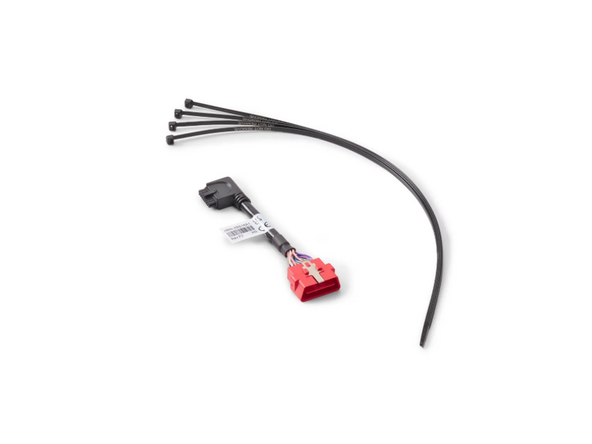
GO10 and GO10 Plus to OBD-II adapter harness for specialty harnesses without a compatible GO10/GO10 Plus harness replacement.
! IMPORTANT: This harness can only be installed with GO10 in the State of California if directly connected to the vehicle's data link connector, or connected to another harness that is not installed in a T-harness configuration.
Purpose: Acts as a bridge between a GO10 or GO10 Plus device and an existing specialty harness that does not have a compatible GO10/GO10 Plus replacement. Unlike earlier GO devices, the GO10 and GO10 Plus use a different connector and cannot connect directly to harnesses designed for previous GO devices.
Recommended Tools & Consumables


Hardware & Accessories

-
-
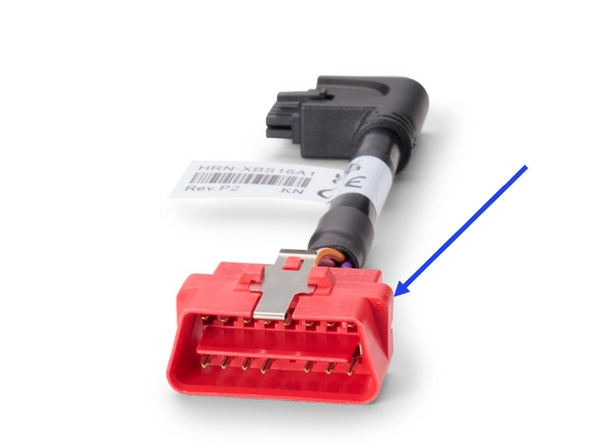
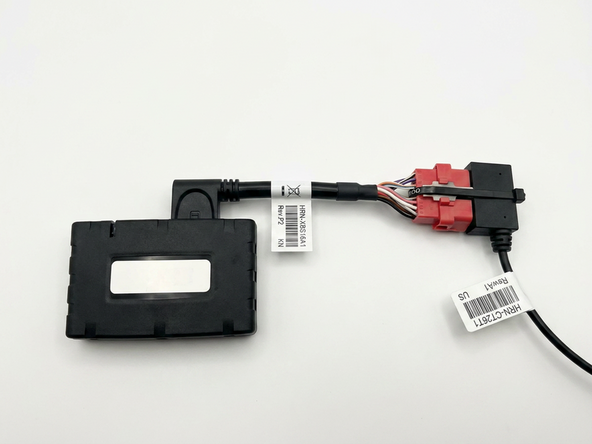
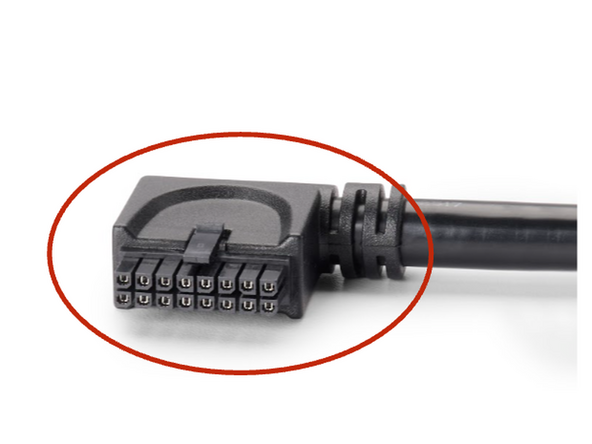
Plug 16-pin male end of HRN-XBS16A1 into female end if existing GO device harness. In this example it's plugged into a HRN-CT26T1 Tesla harness.
-
Be sure to secure connection with cable tie.
-
The other end plugs directly into GO10/GO10 Plus. Be sure it clicks into place to ensure solid connection.
-
! IMPORTANT: This harness can only be installed with GO10 in the State of California if directly connected to the vehicle's data link connector, or connected to another harness that is not installed in a T-harness configuration.
-

Team
