v1.2

Minor Versionm

by Alkesh Dhak

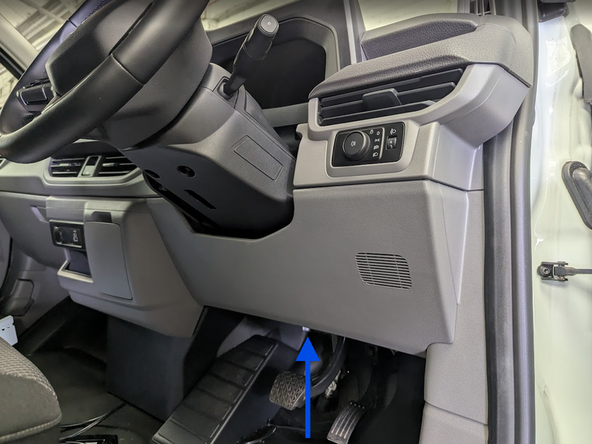
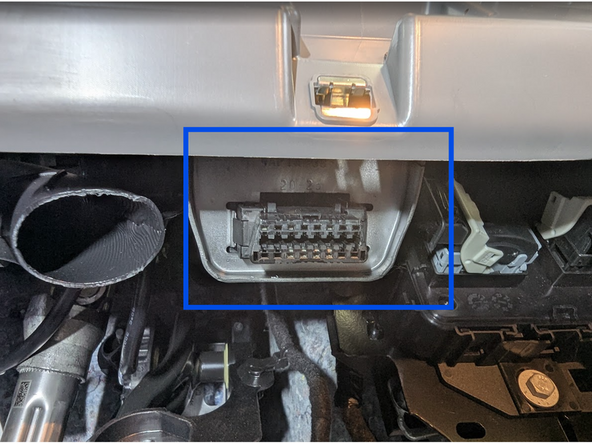
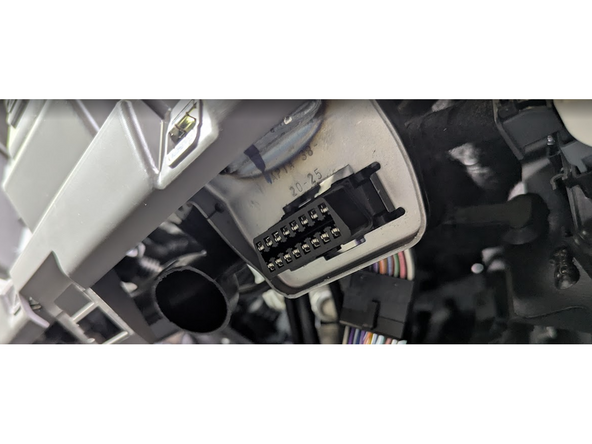
  1. Locate the OBD-Port below the steering wheel in the driver’s footwell. Locate the OBD-Port below the steering wheel in the driver’s footwell.
    • Locate the OBD-Port below the steering wheel in the driver’s footwell.

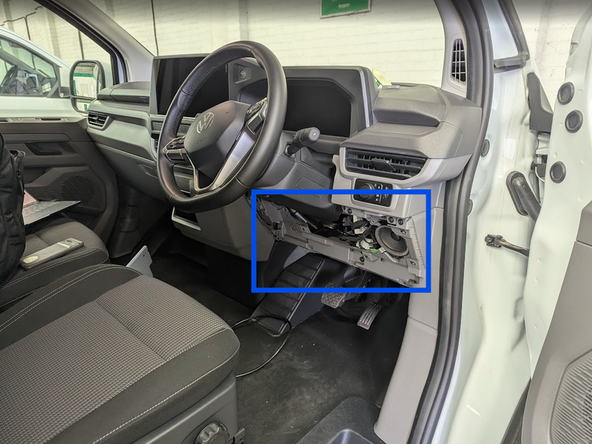
  2. Unclip and remove the panel from the side of the dashboard.
    • Unclip and remove the panel from the side of the dashboard.

  3. Select adaptor 8 from the harness kit and clip it into place as shown
    • Select adaptor 8 from the harness kit and clip it into place as shown

  4. Clip the short section of the harness into place in the vehicle
    • Clip the short section of the harness into place in the vehicle

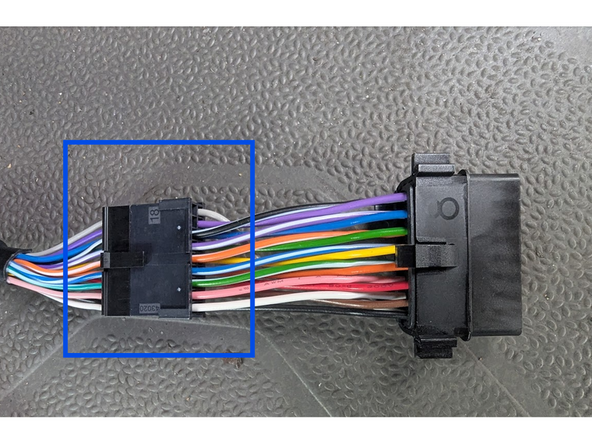
  5. Clip the short section into place on the main harness
    • Clip the short section into place on the main harness

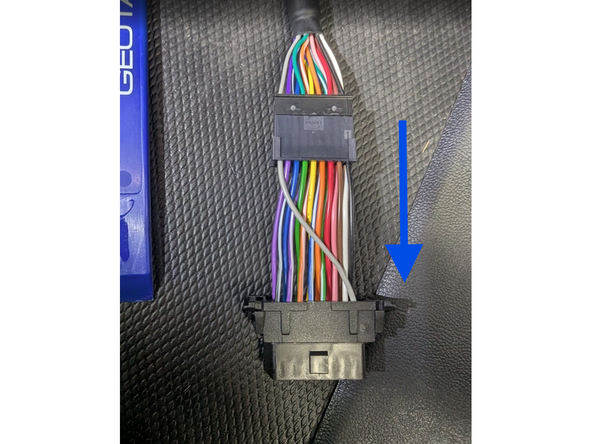
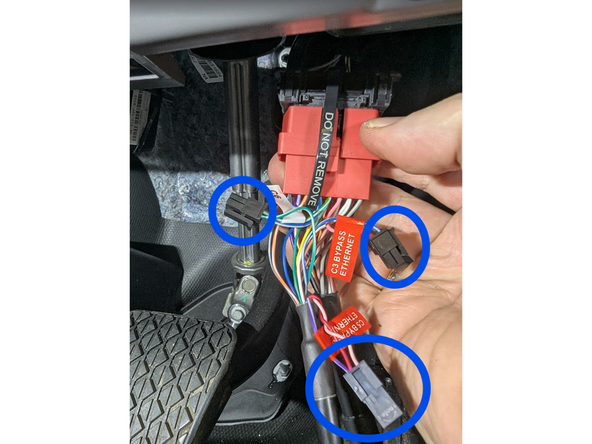
  6. Plug the vehicle OBD-port into the harness and secure with a cable tie.
    • Plug the vehicle OBD-port into the harness and secure with a cable tie.

    • Warning: Separate the Ethernet Bypass Molex connectors from one another.

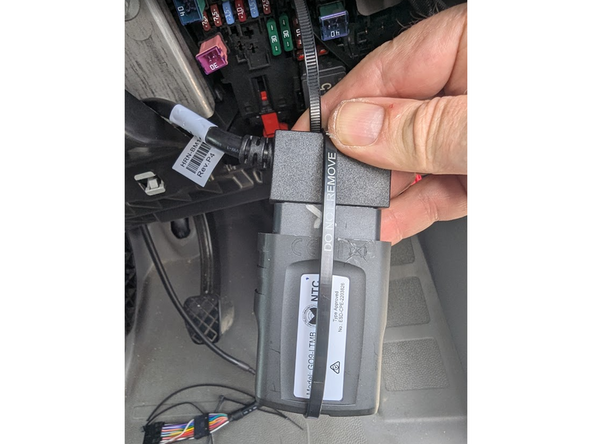
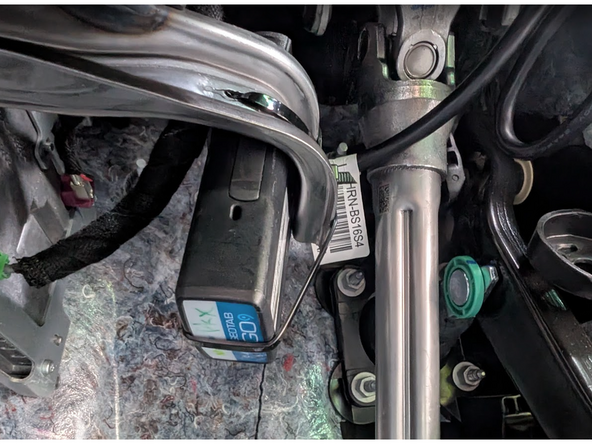
  7. Plug the Geotab device into the harness, and secure with a cable tie as shown
    • Plug the Geotab device into the harness, and secure with a cable tie as shown

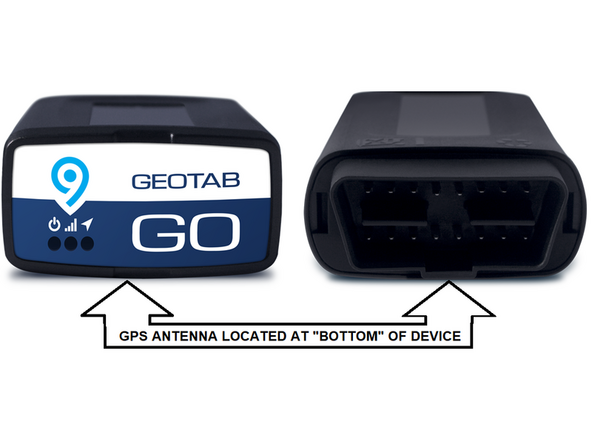
  8. The GPS-antenna is located at the underside of the Geotab device.
    • The GPS-antenna is located at the underside of the Geotab device.

    • ! IMPORTANT: Ensure when securing the device into the vehicle, that this side is facing away from any metal surfaces.

    • Replace all panels, screws, and clips in the reverse order they were removed.

  9. Secure the Geotab device to the bracket, using at least two cable ties.
    • Secure the Geotab device to the bracket, using at least two cable ties.

    • Ensure that the harness does not obstruct any moving parts or equipment.

    • Once all three LEDs turn solid and you hear 10 quick beeps, secure the device using the provided cable tie. Ensure there is always a 20cm separation between the driver and the device. This applies to all users of the vehicle.

    • ✱ NOTE : The device is considered installed when the Green and Blue LEDs turn solid.

Finish Line

Dozuki System

Member since: 9/24/09

4 Guides authored