v2.5

Minor Versionm

by Jason Fox

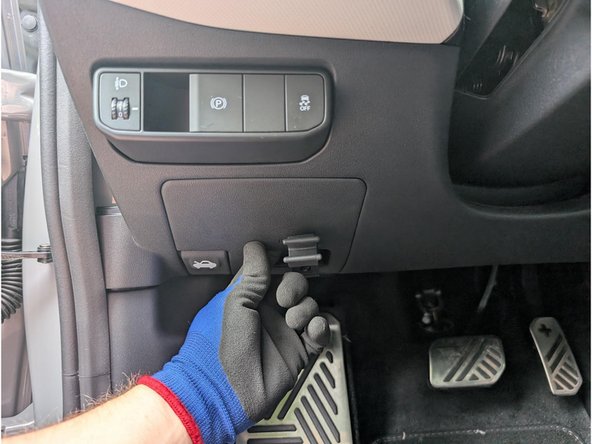
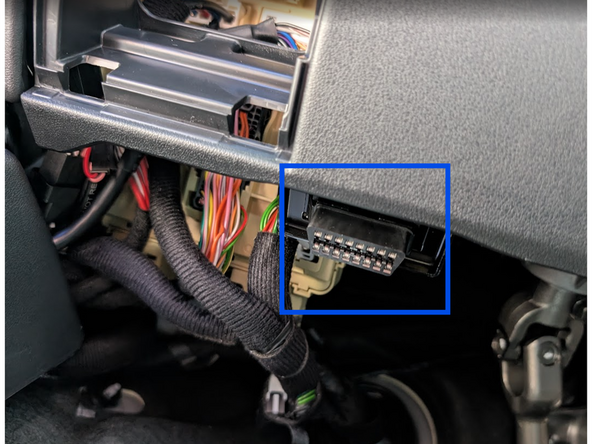
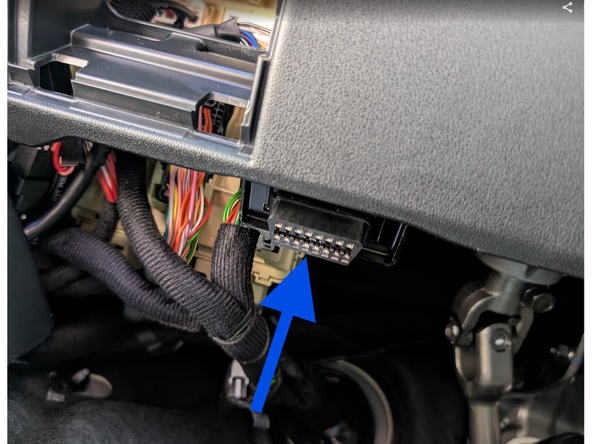
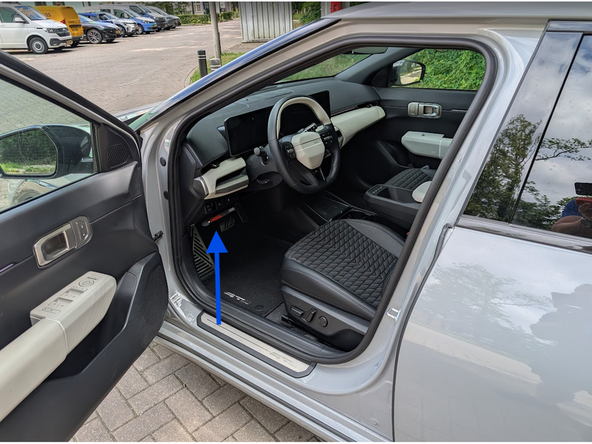
  1. Locate the OBD-Port below the steering wheel in the driver’s footwell. Unclip and remove the panel from the side of the dashboard.
    • Locate the OBD-Port below the steering wheel in the driver’s footwell.

    • Unclip and remove the panel from the side of the dashboard.

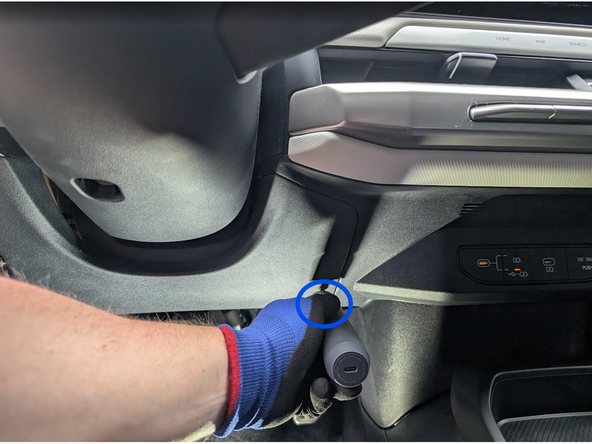
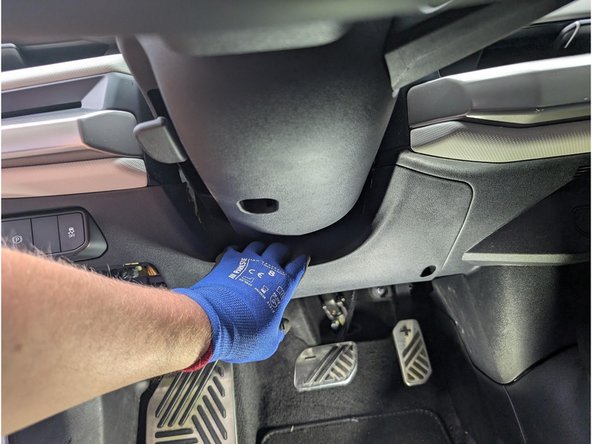
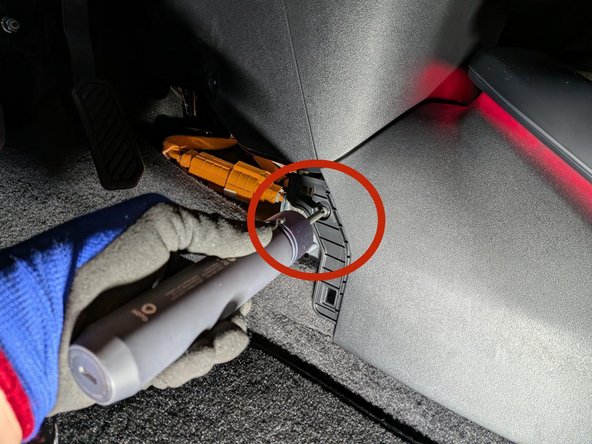
  2. Remove the phillips screw under the steering wheel as shown. Carefully unclip the interior panel.
    • Remove the phillips screw under the steering wheel as shown.

    • Carefully unclip the interior panel.

    • Take care: the hood-latch release on the panel may detach.

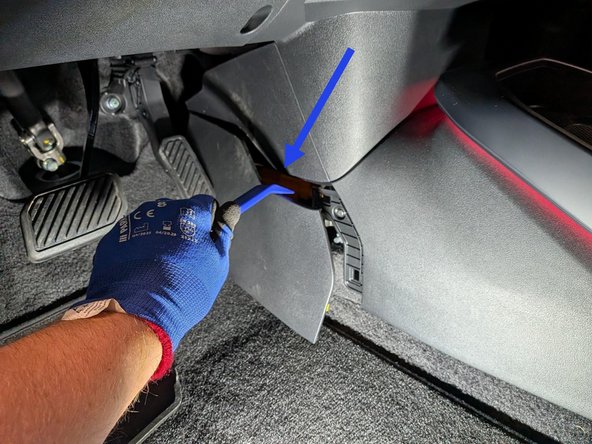
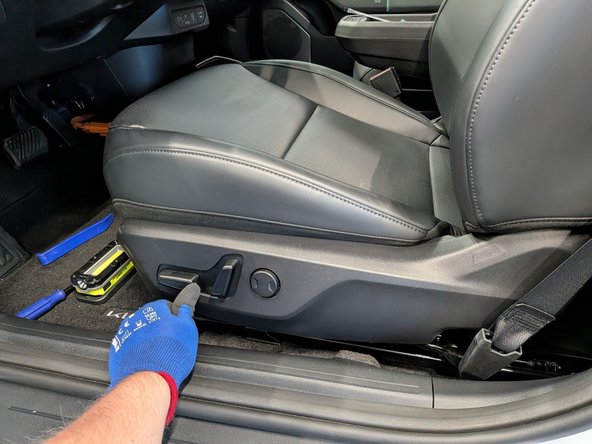
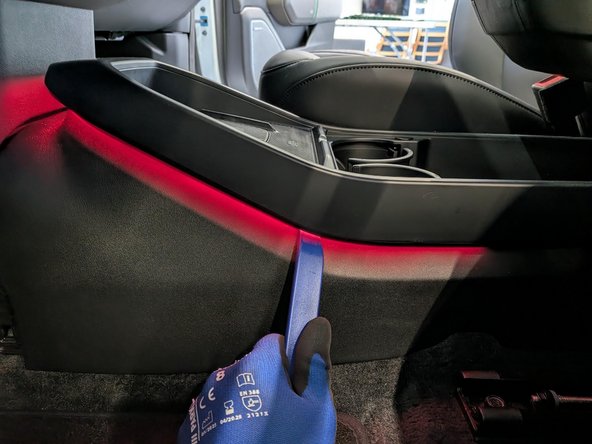
  3. Use panel removal tool to remove the center console cover from both driver and passenger sides. Unscrew the center console on both sides. Slide the front seats as far forward as possible and adjust them to their highest position. This will assist with console removal in a later step.
    • Use panel removal tool to remove the center console cover from both driver and passenger sides.

    • Unscrew the center console on both sides.

    • Slide the front seats as far forward as possible and adjust them to their highest position. This will assist with console removal in a later step.

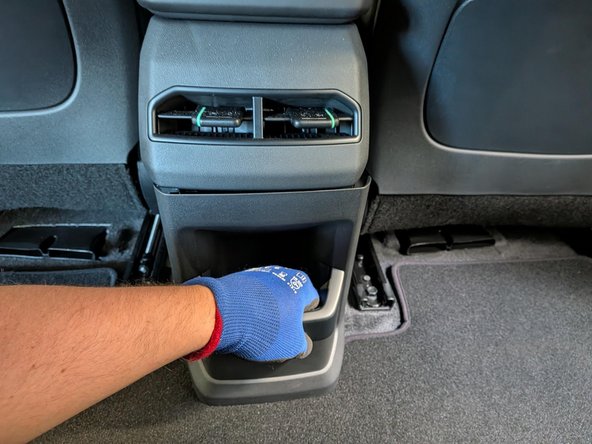
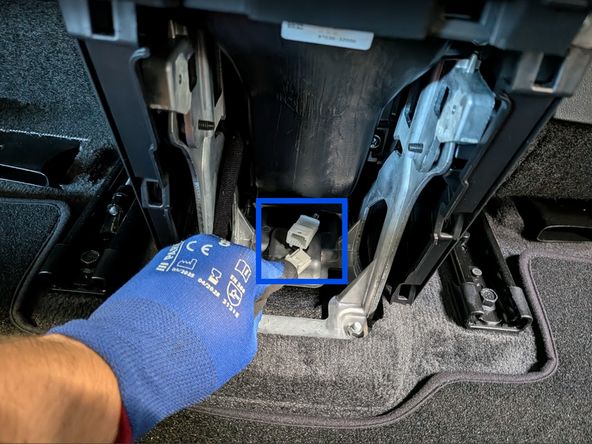
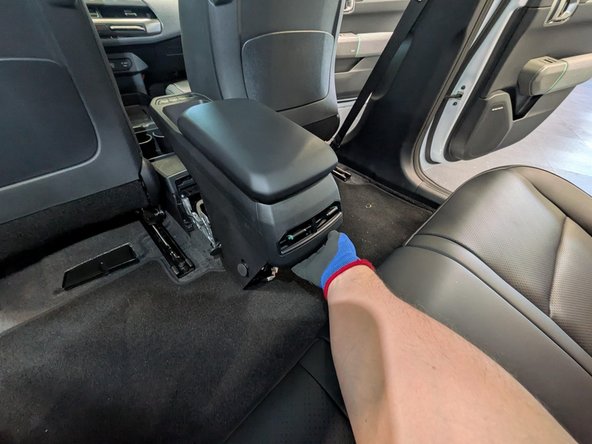
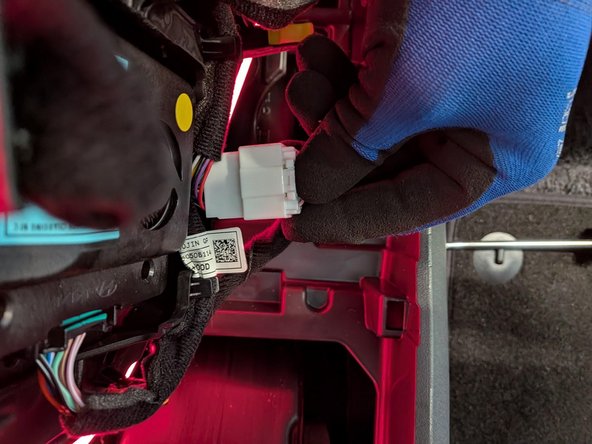
  4. Remove the rear console cover. Disconnect the extension connector.
    • Remove the rear console cover.

    • Disconnect the extension connector.

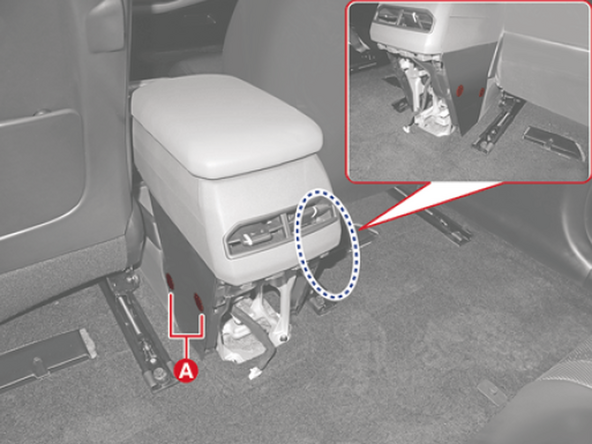
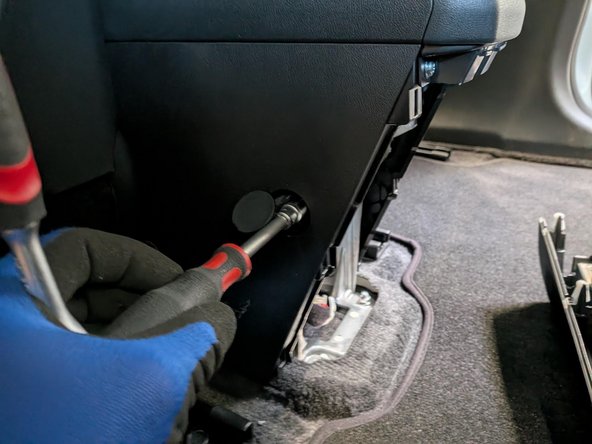
  5. Open the console caps and remove the four bolts. Open the console caps and remove the four bolts.
    • Open the console caps and remove the four bolts.

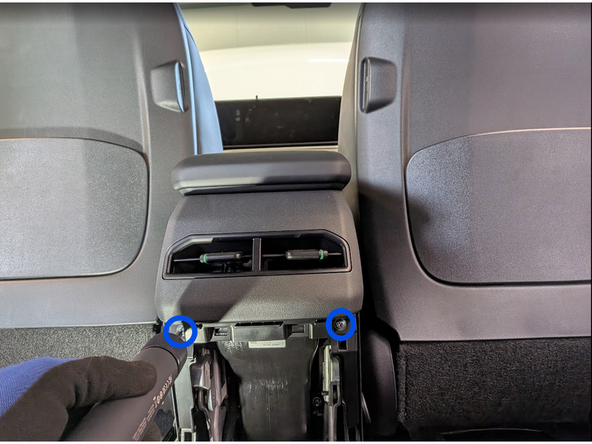
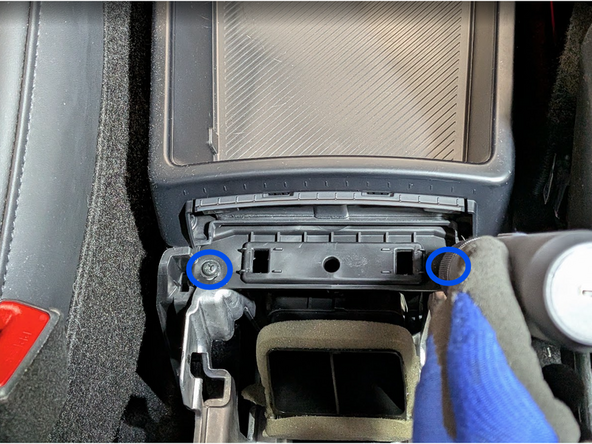
  6. Unscrew the two screws with a Phillips screwdriver. Detach the armrest from its original position. Remove the two additional screws as shown.
    • Unscrew the two screws with a Phillips screwdriver.

    • Detach the armrest from its original position.

    • Remove the two additional screws as shown.

  7. Use a trim-panel removal tool to detach the upper center-console cover. Disconnect the upper center-console cover assembly connector.
    • Use a trim-panel removal tool to detach the upper center-console cover.

    • Disconnect the upper center-console cover assembly connector.

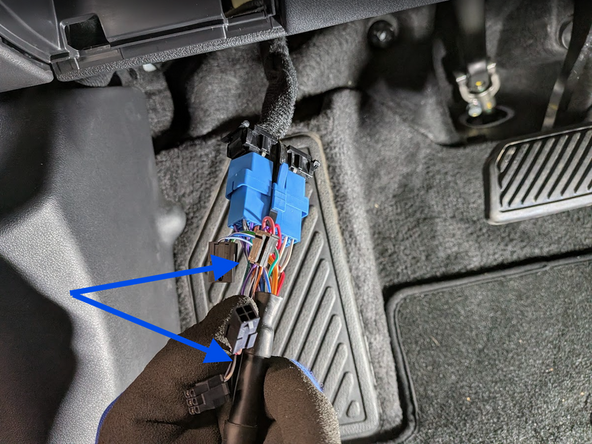
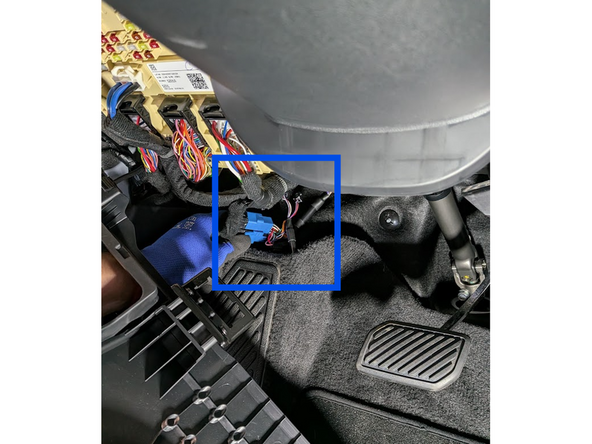
  8. Detach the OBD II port from its original mounting position. Select adaptor 3 from the harness kit and clip it into place as shown. Clip the short section into place on the main harness, and secure with cable tie.
    • Detach the OBD II port from its original mounting position.

    • Select adaptor 3 from the harness kit and clip it into place as shown.

    • Clip the short section into place on the main harness, and secure with cable tie.

  9. Clip the short section of the harness into place in the vehicle.
    • Clip the short section of the harness into place in the vehicle.

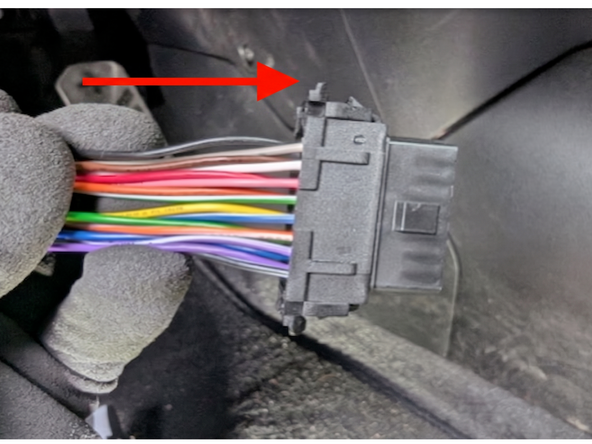
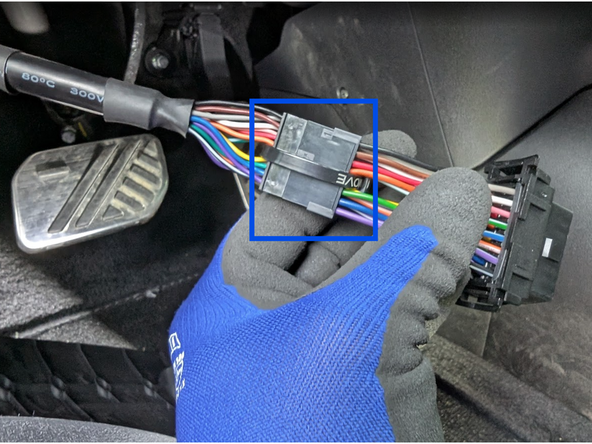
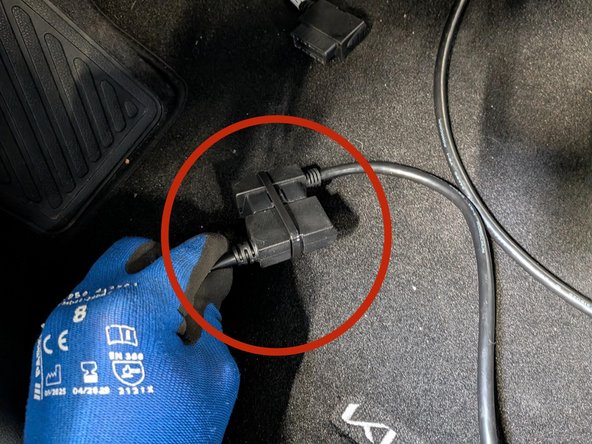
  10. Disconnect all Molex connectors on the Geotab heavy-duty harness as shown. Plug the vehicle OBD port into the harness and secure the connection with a cable tie.
    • Disconnect all Molex connectors on the Geotab heavy-duty harness as shown.

    • Plug the vehicle OBD port into the harness and secure the connection with a cable tie.

    • Connect the HRN-GS16K2-HD harness to the HRN-BS16S5 extension harness and secure the connection with cable ties.

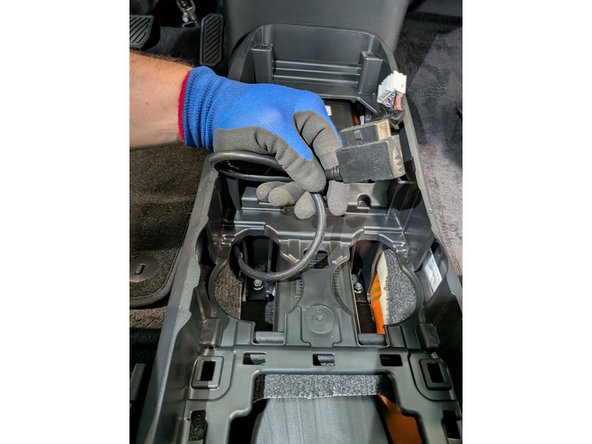
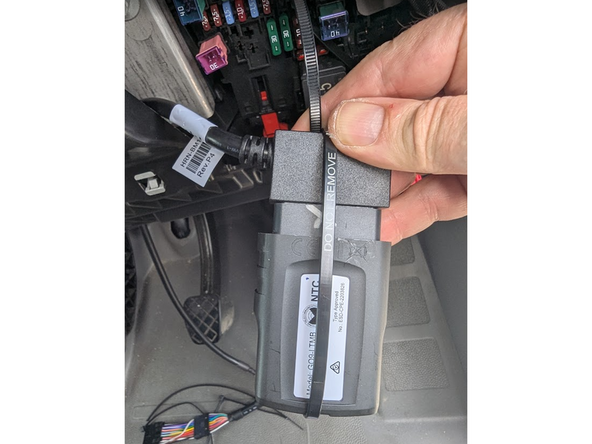
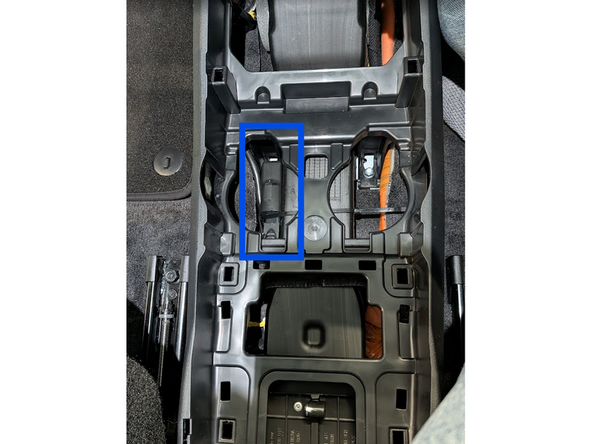
  11. Carefully route the harnesses below the carpet to the cupholder area in the center console. Plug the Geotab device into the harness and secure it with a cable tie as shown. Plug the Geotab device into the harness and secure it with a cable tie as shown.
    • Carefully route the harnesses below the carpet to the cupholder area in the center console.

    • Plug the Geotab device into the harness and secure it with a cable tie as shown.

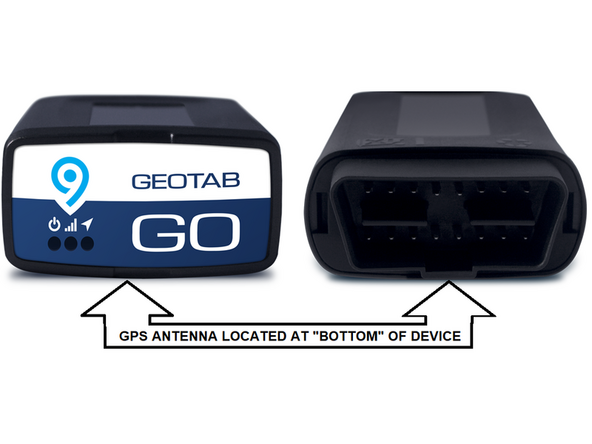
  12. The GPS-antenna is located at the underside of the Geotab device.
    • The GPS-antenna is located at the underside of the Geotab device.

    • ! IMPORTANT: Ensure when securing the device into the vehicle, that this side is facing away from any metal surfaces.

  13. Mount the GO device to a suitable bracket and secure it with cable ties. Leave enough clearance for the cupholders to return to their original position.
    • Mount the GO device to a suitable bracket and secure it with cable ties. Leave enough clearance for the cupholders to return to their original position.

    • Once all three LEDs turn solid and you hear 10 quick beeps, secure the device using the provided cable tie. Ensure there is always a 20cm separation between the driver and the device. This applies to all users of the vehicle.

    • The device is considered installed when the Green and Blue LEDs turn solid.

Finish Line

Jason Fox

Member since: 9/14/23

149 Guides authored

Team

Field Service Specialists Member of Field Service Specialists

8 Members

307 Guides authored