v2.5

Minor Versionm

by Jason Fox

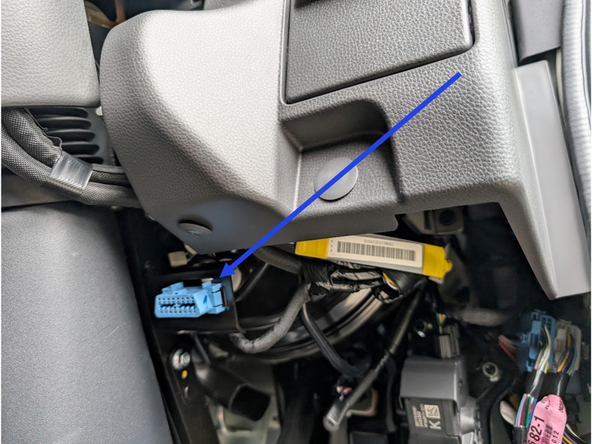
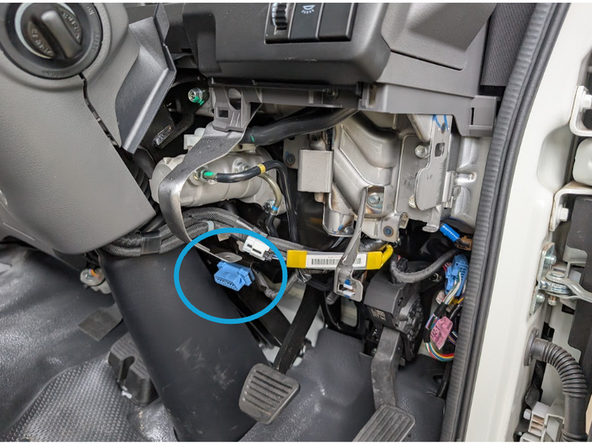
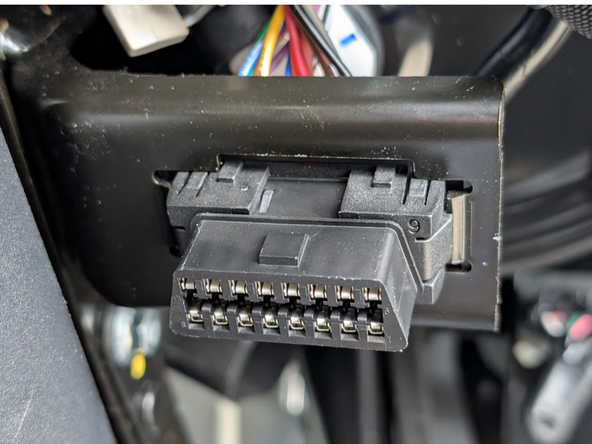
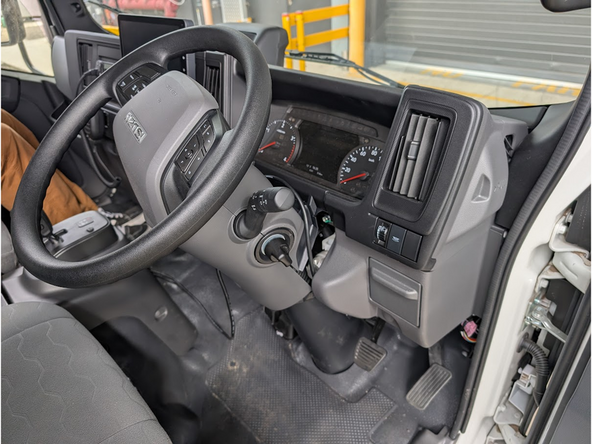
  1. Locate the diagnostic port under the dash, to the right of the steering column. Locate the diagnostic port under the dash, to the right of the steering column.
    • Locate the diagnostic port under the dash, to the right of the steering column.

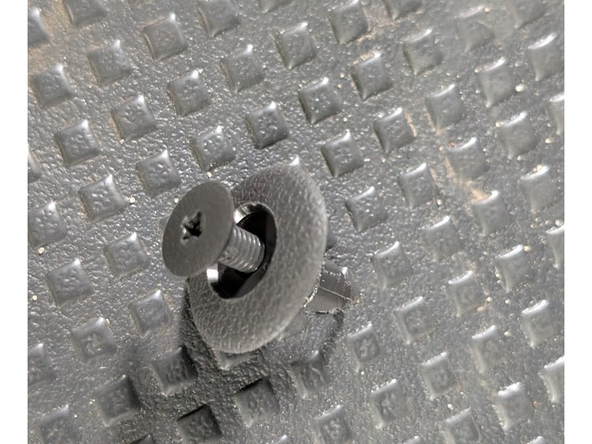
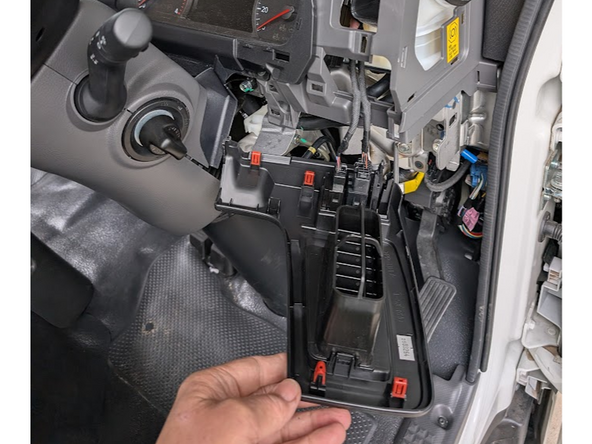
  2. Remove ‘push in’ panel fastener, and then remove the curved lower right dash panel to access the rear of the diagnostic port area Remove diag port from original location
    • Remove ‘push in’ panel fastener, and then remove the curved lower right dash panel to access the rear of the diagnostic port area

    • Remove diag port from original location

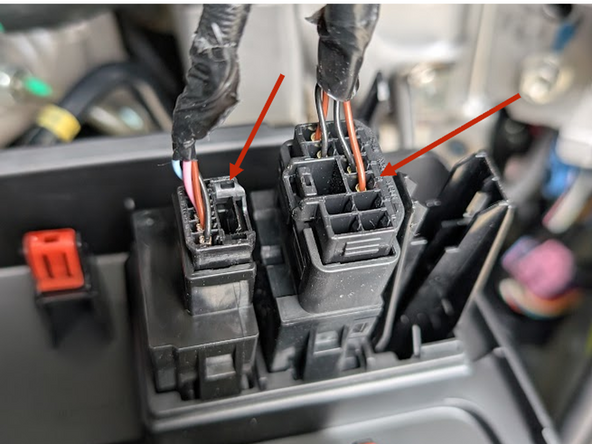
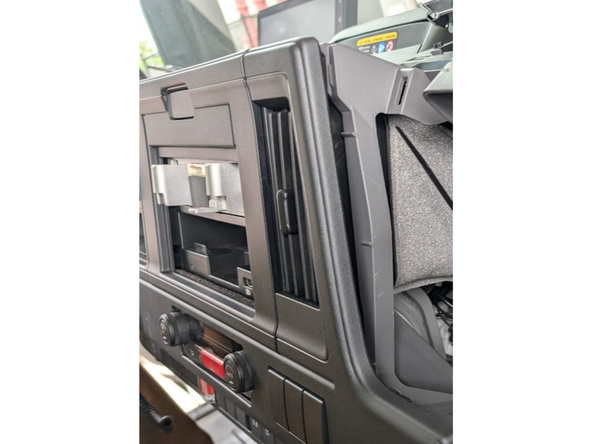
  3. Use panel remove tool to remove ‘clip in’ air vent and switch panel from above the previously removed panel Disconnect the plugs from the two switches in this panel
    • Use panel remove tool to remove ‘clip in’ air vent and switch panel from above the previously removed panel

    • Disconnect the plugs from the two switches in this panel

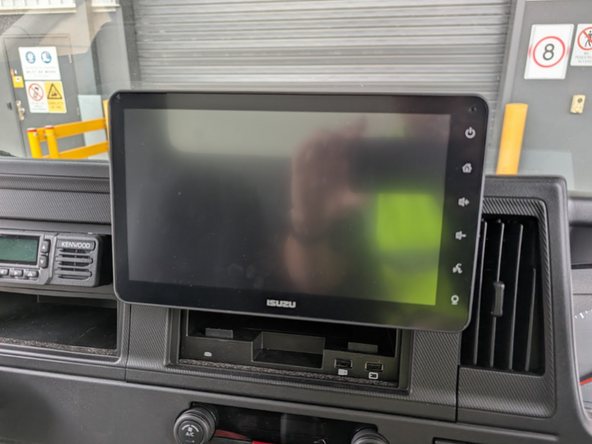
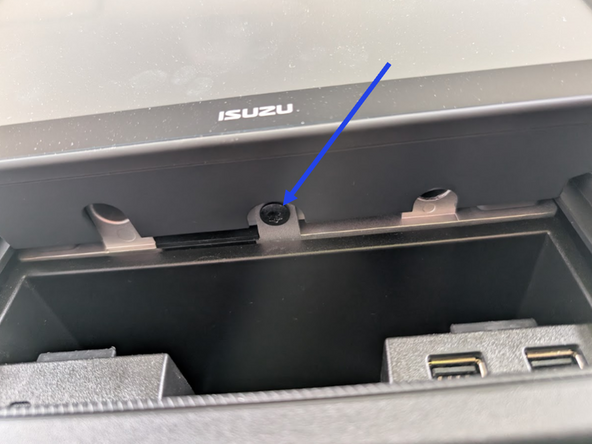
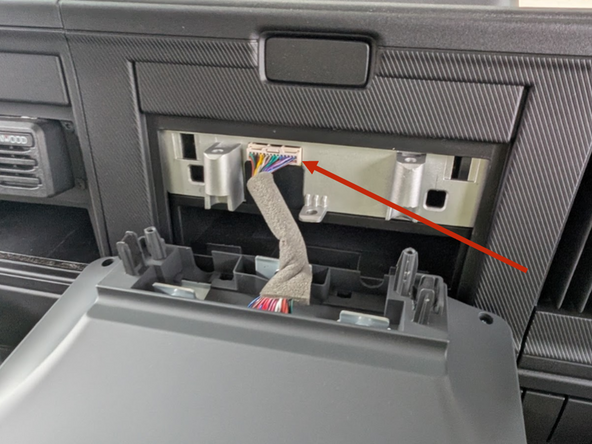
  4. Remove the center dash display unit by removing the x3 T25 tamperproof torx screws from the underside of the display. Disconnect display plug from read of unit. Disconnect display plug from read of unit.
    • Remove the center dash display unit by removing the x3 T25 tamperproof torx screws from the underside of the display.

    • Disconnect display plug from read of unit.

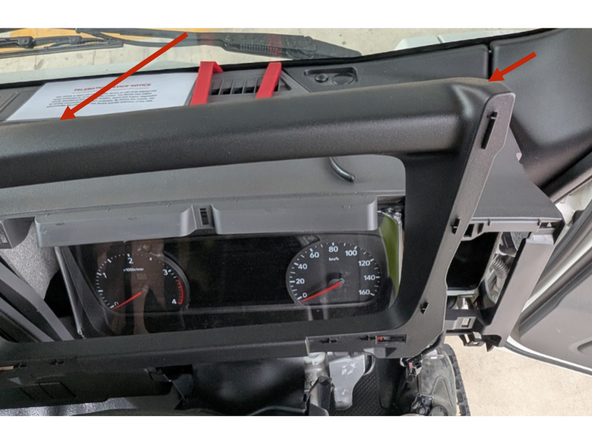
  5. With the center display removed, use the panel removal tool to partially remove the right hand side of the main dash panel to make the Instrument Cluster shroud accessible
    • With the center display removed, use the panel removal tool to partially remove the right hand side of the main dash panel to make the Instrument Cluster shroud accessible

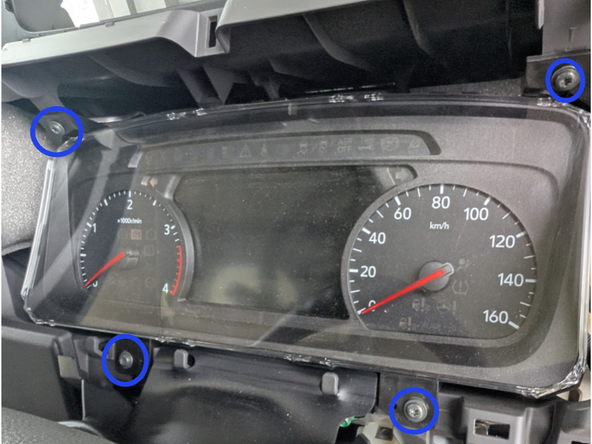
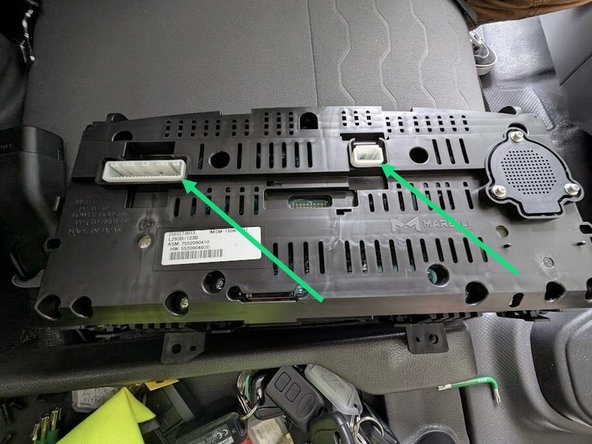
  6. Use a panel removal tool to loosen and remove the plastic shroud around instrument cluster. Remove the 4 screws that hold in the instrument cluster. Disconnect the 2 plugs that power the instrument cluster.
    • Use a panel removal tool to loosen and remove the plastic shroud around instrument cluster.

    • Remove the 4 screws that hold in the instrument cluster.

    • Disconnect the 2 plugs that power the instrument cluster.

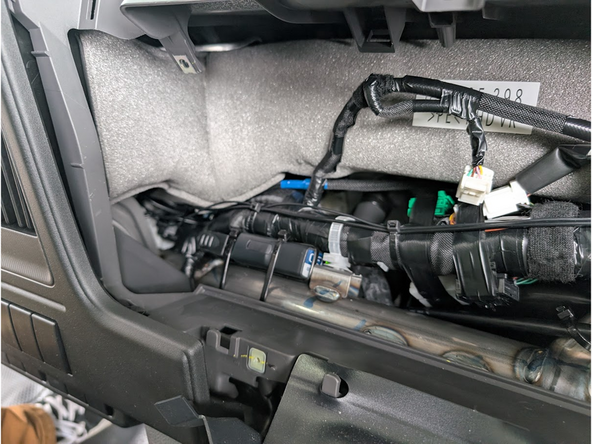
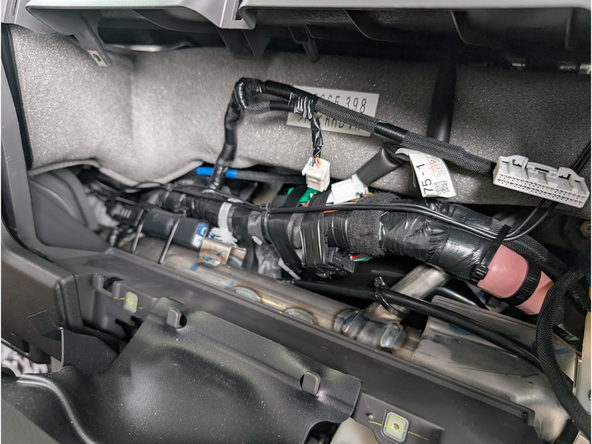
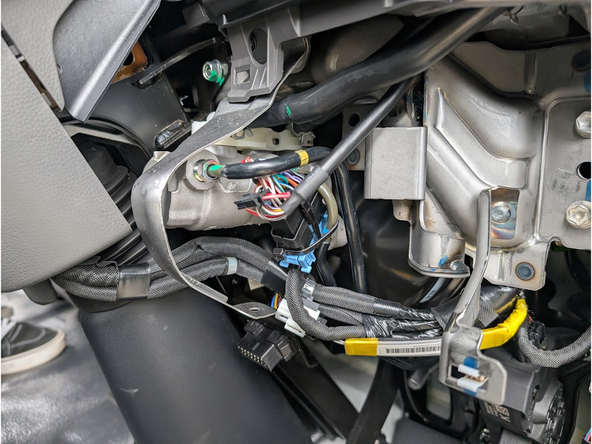
  7. Feed the GO device portion of the harness up to the right-hand side of the space where the Instrument Cluster unit sits. Mount the GO device securely in position using 2 cable ties as shown ensuring that the bottom (serial number side) is facing up.
    • Feed the GO device portion of the harness up to the right-hand side of the space where the Instrument Cluster unit sits.

    • Mount the GO device securely in position using 2 cable ties as shown ensuring that the bottom (serial number side) is facing up.

    • Ensure the GO device and harness cabling will not interfere with panel refitting.

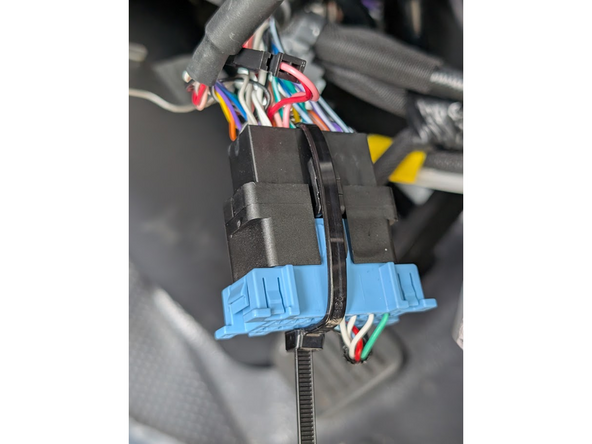
  8. Connect the harness to the vehicle diagnostic port.
    • Connect the harness to the vehicle diagnostic port.

    • Secure the connection with a cable tie to prevent movement.

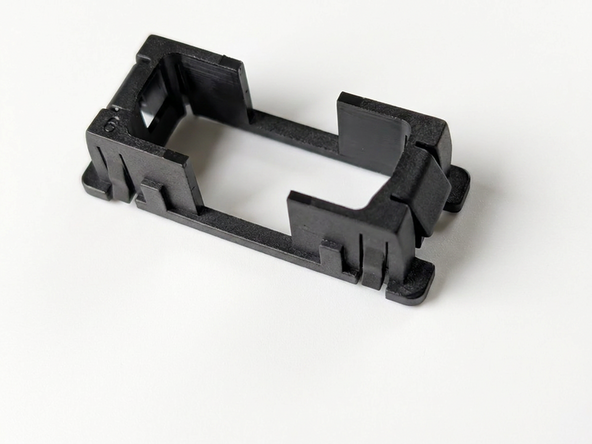
  9. Identify the correct adaptor #6 for this vehicle from the harness bag. Refit the harness diagnostic port back into the original diagnostic port location, Confirm the port is seated correctly and accessible.
    • Identify the correct adaptor #6 for this vehicle from the harness bag.

    • Refit the harness diagnostic port back into the original diagnostic port location, Confirm the port is seated correctly and accessible.

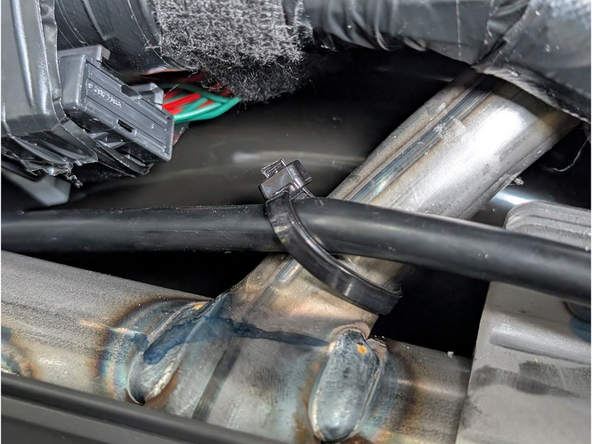
  10. Gather any spare or slack cabling and secure with cable ties. Ensure no cabling is left loose where it could interfere with vehicle operation.
    • Gather any spare or slack cabling and secure with cable ties.

    • Ensure no cabling is left loose where it could interfere with vehicle operation.

    • Replace all removed panels in reverse order of removal.

    • Take care that the GO device and harness cabling do not interfere with the fitment of the Instrument Cluster unit.

    • Refit the push-in panel fastener on the lower right dash panel.

Finish Line

Jason Fox

Member since: 9/14/23

117 Guides authored

Team

Field Service Specialists Member of Field Service Specialists

9 Members

284 Guides authored