v1.2

Minor Versionm

by Alkesh Dhak

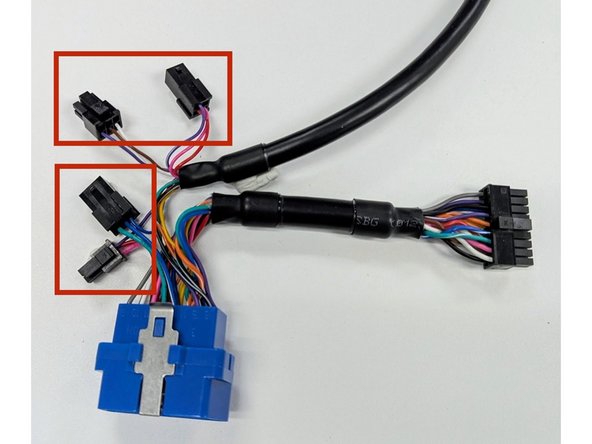
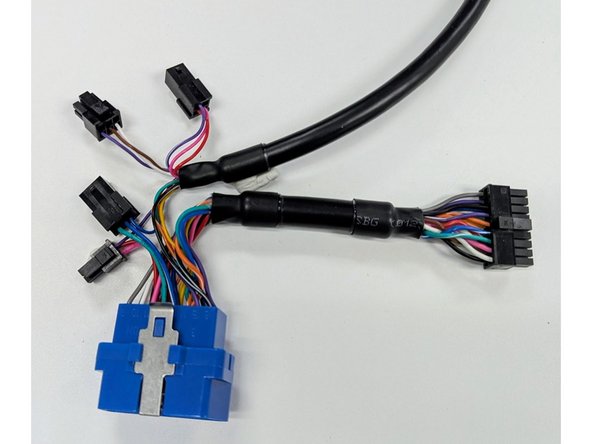
  1. Prepare the HRN-GS16K2-HD harness.
    • Prepare the HRN-GS16K2-HD harness.

    • Ensure that BOTH small connectors on the harness are unplugged as shown in the image.

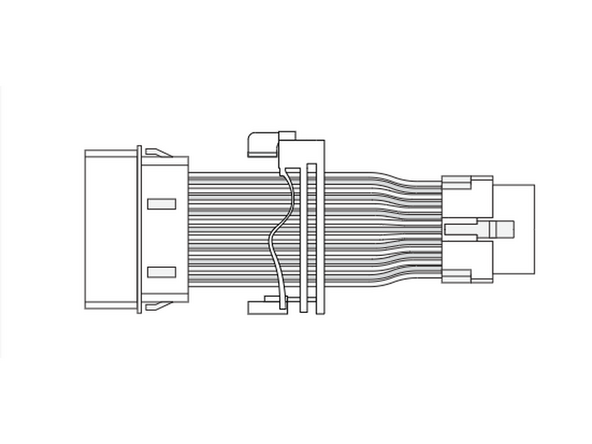
  2. Select ADAPTOR 7 from the pack, and slide it onto the short harness section, clipping it into place as shown.
    • Select ADAPTOR 7 from the pack, and slide it onto the short harness section, clipping it into place as shown.

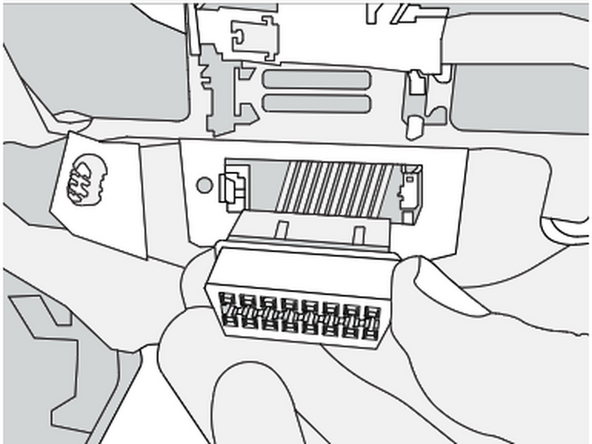
  3. The factory diagnostic port is located under the driver side dash panel, near the accelerator pedal.
    • The factory diagnostic port is located under the driver side dash panel, near the accelerator pedal.

    • Clip the short section of the harness into place in the vehicle.

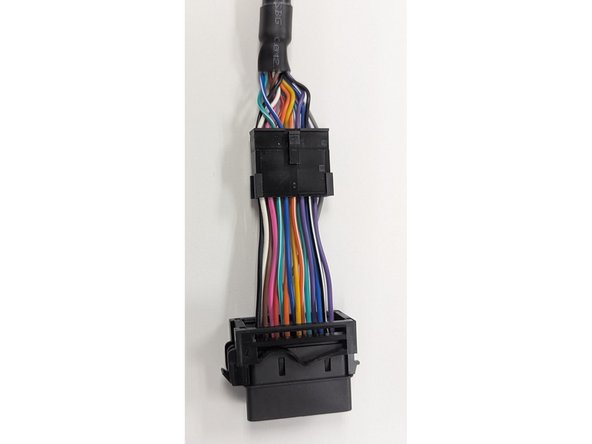
  4. Clip the short section into place on the main harness.
    • Clip the short section into place on the main harness.

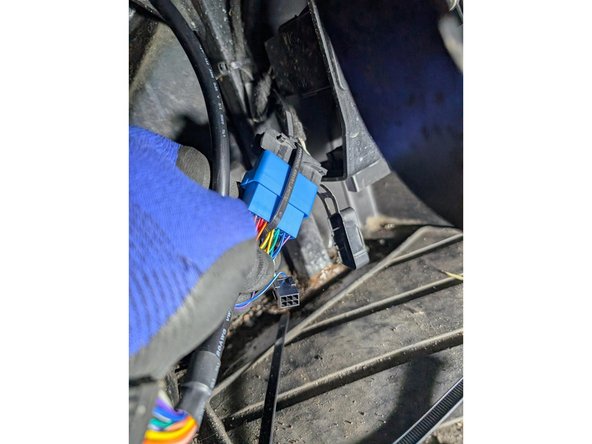
  5. Plug the HRN-GS16K2-HD harness into the vehicles' diagnostic port.
    • Plug the HRN-GS16K2-HD harness into the vehicles' diagnostic port.

    • Secure the connection with a cable tie.

  6. Route the long end of the harness through the dashboard, to the hole where the speaker is located
    • Route the long end of the harness through the dashboard, to the hole where the speaker is located

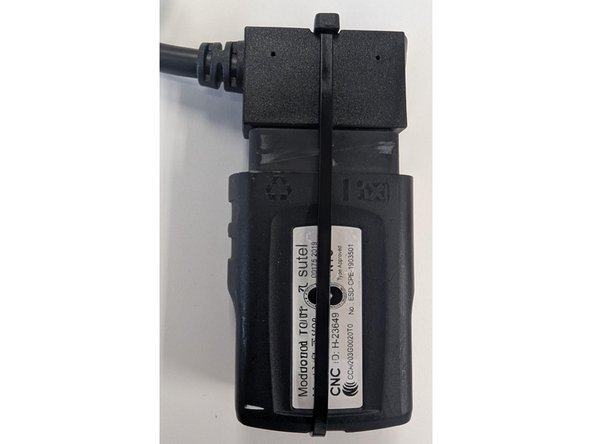
    • Plug the GO device into the harness, and secure with a cable tie

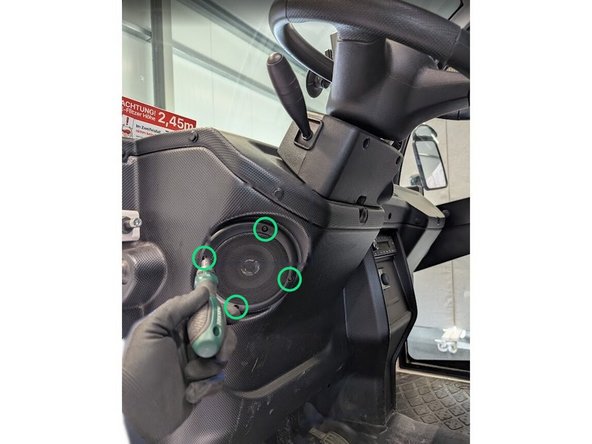
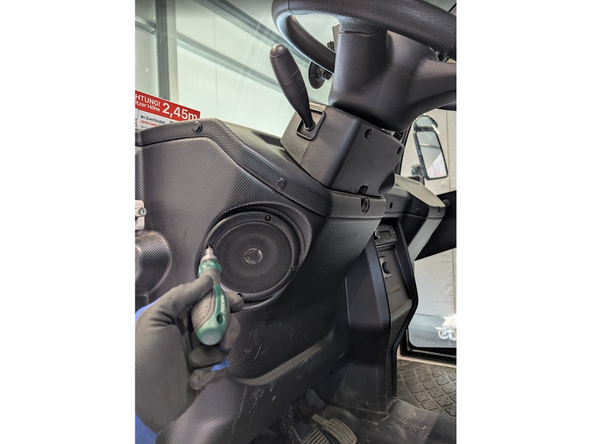
  7. Remove the 4 screws holding the speaker in place, and remove the speaker.
    • Remove the 4 screws holding the speaker in place, and remove the speaker.

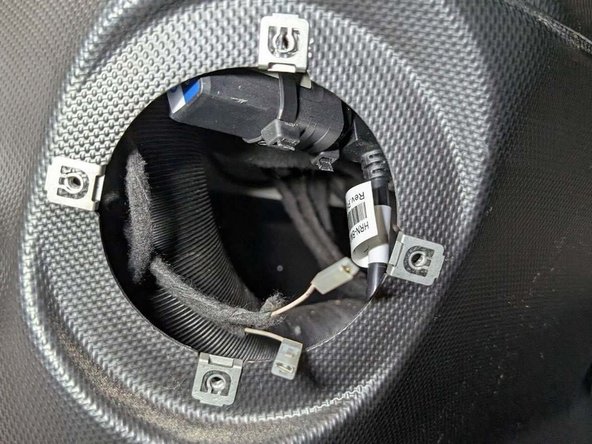
  8. Use at least 2 cable ties to secure the GO device inside the dashboard
    • Use at least 2 cable ties to secure the GO device inside the dashboard

  9. Secure all wiring with cable ties inside the dashboard.
    • Secure all wiring with cable ties inside the dashboard.

    • Replace the speaker and secure it with the 4 screws previously removed.

Finish Line

Alkesh Dhak

Member since: 4/7/22

123 Guides authored

Team