v1.0

Major VersionM

by Jason Fox

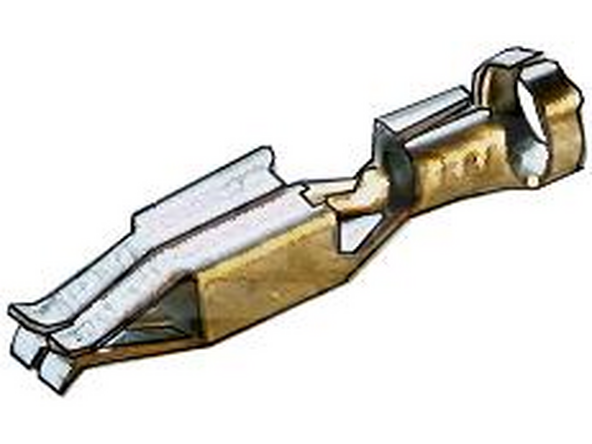
  1. You will need to source pins to complete this installation.  Several sorucing options below.
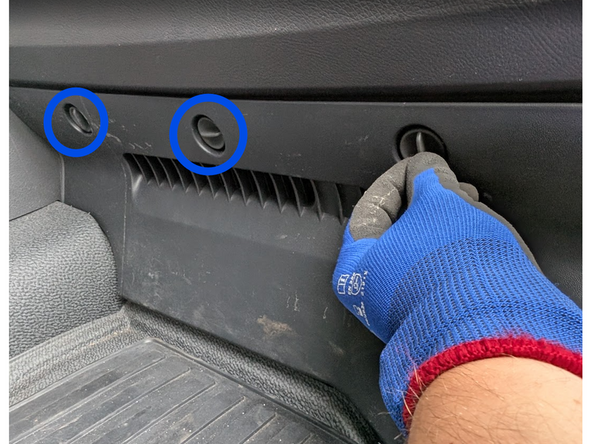
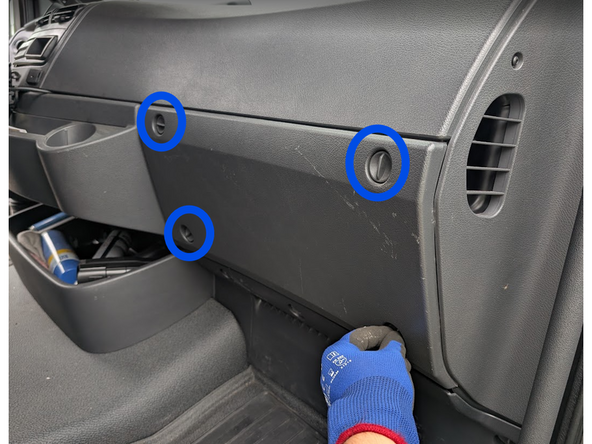
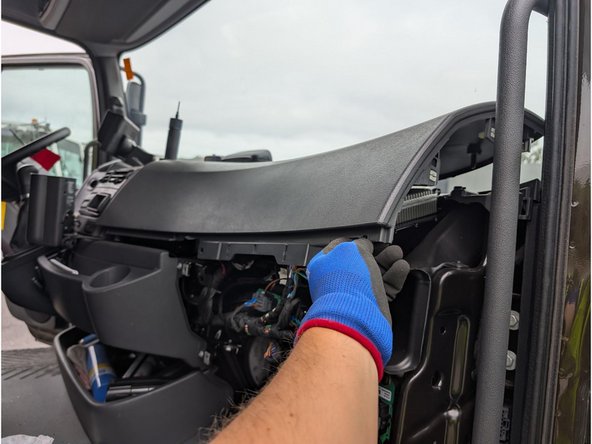
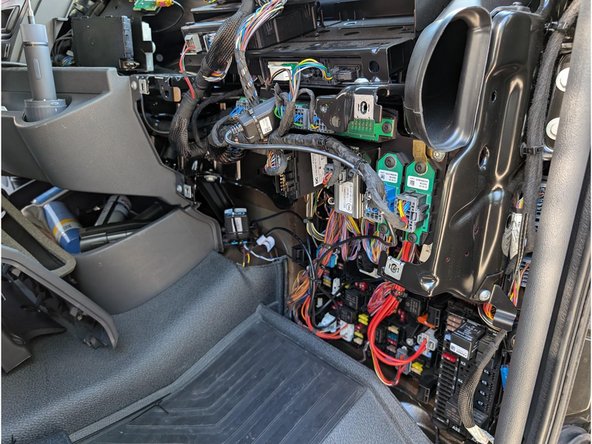
  2. Access the fuse-panel located on the passenger side. Unlock the quick-release fasteners on the plastic trim panels Unlock the quick-release fasteners on the plastic trim panels
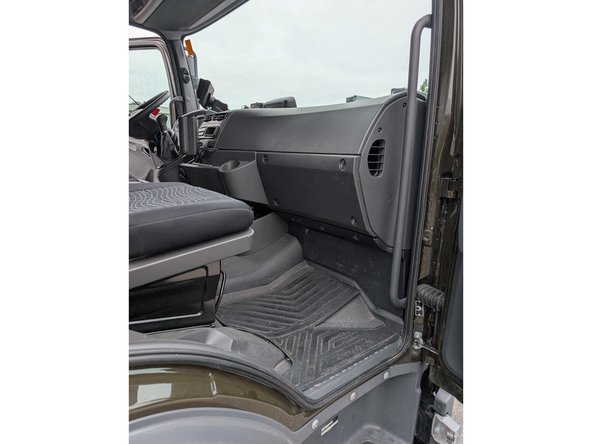
    • Access the fuse-panel located on the passenger side.

    • Unlock the quick-release fasteners on the plastic trim panels

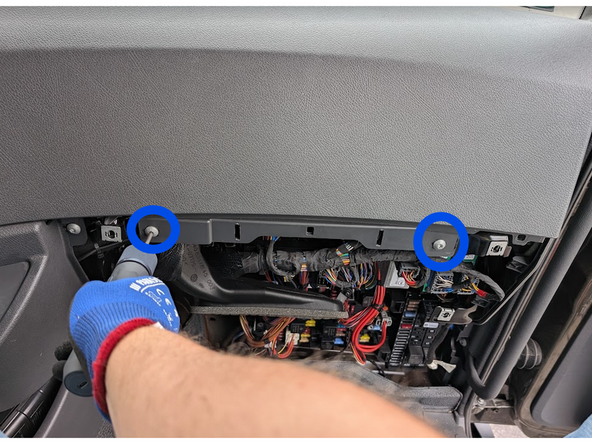
  3. Use a Torx driver to remove the two screws, then unclip and remove the upper dashboard panel. Use a Torx driver to remove the two screws, then unclip and remove the upper dashboard panel.
    • Use a Torx driver to remove the two screws, then unclip and remove the upper dashboard panel.

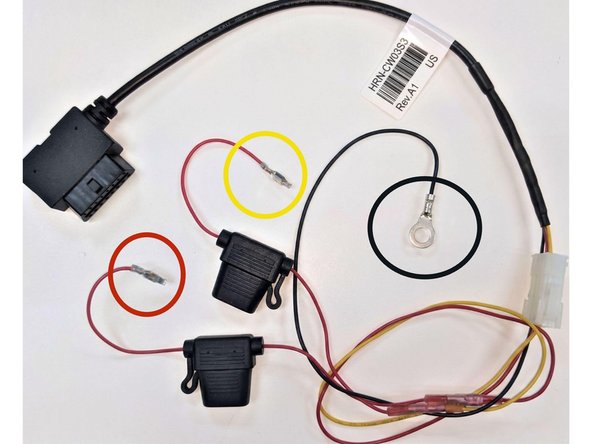
  4. Prepare the HRN-CW03K3-A harness:
    • Prepare the HRN-CW03K3-A harness:

    • Install a 5 amp fuse and pin/terminal on the RED (live) wire.

    • Install a 5 amp fuse and pin/terminal on the YELLOW (ignition) wire.

    • Install a ring terminal on the BLACK (ground) wire.

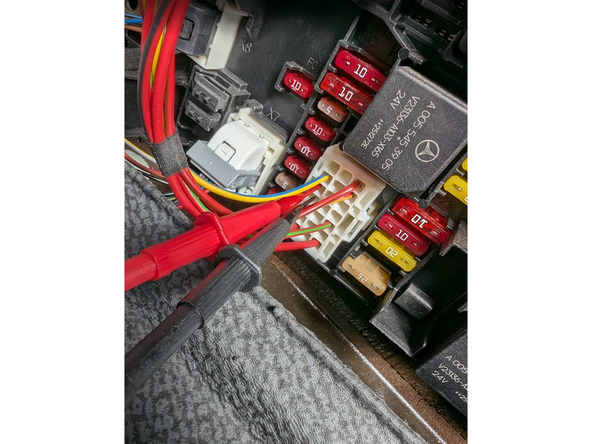
  5. Using a digital multimeter, locate the following sources:
    • Using a digital multimeter, locate the following sources:

    • 12V / 24V constant power: a true battery source that is live at all times.

    • 12V / 24V switched ignition: +12/24V with the key in ON and Run positions, and 0V in Off.

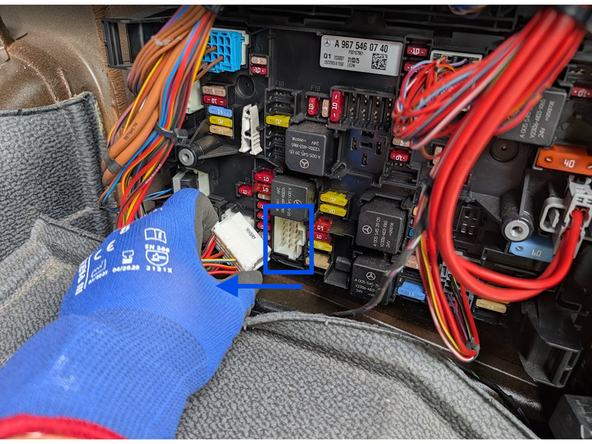
  6. Unclip and remove the white connector (A8X6). Connect the RED (live) and YELLOW (ignition) wires to their respective sources.
    • Unclip and remove the white connector (A8X6). Connect the RED (live) and YELLOW (ignition) wires to their respective sources.

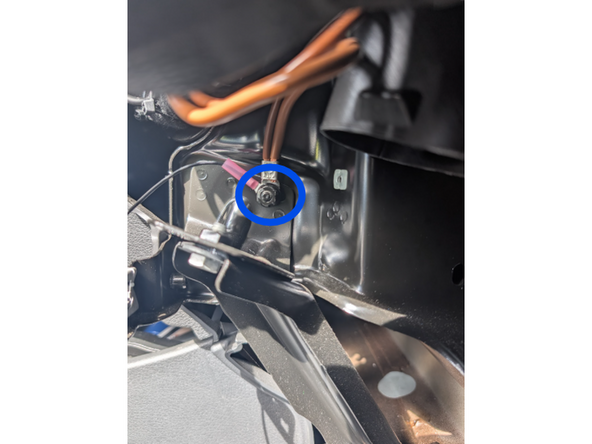
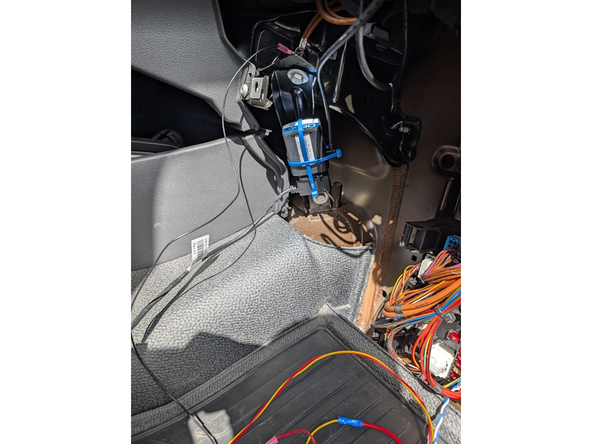
  7. Attach the HRN-CW03K3-A BLACK (ground) wire to the screw shown, using the ring terminal.
    • Attach the HRN-CW03K3-A BLACK (ground) wire to the screw shown, using the ring terminal.

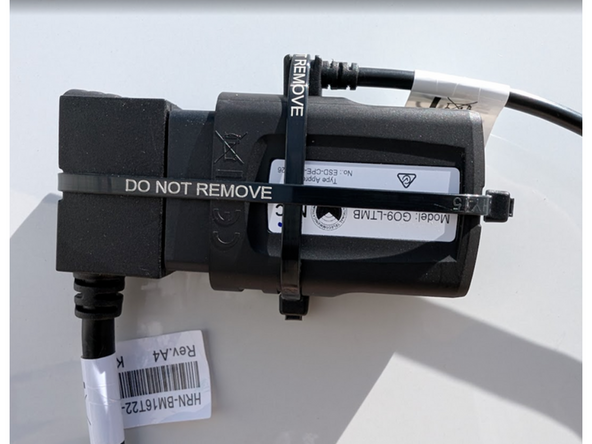
  8. Connect the GO device to the HRN-CW03K3-A harness and IOX-Clamp. Secure both connections with cable ties.
    • Connect the GO device to the HRN-CW03K3-A harness and IOX-Clamp. Secure both connections with cable ties.

    • Do not over-tighten cable ties.

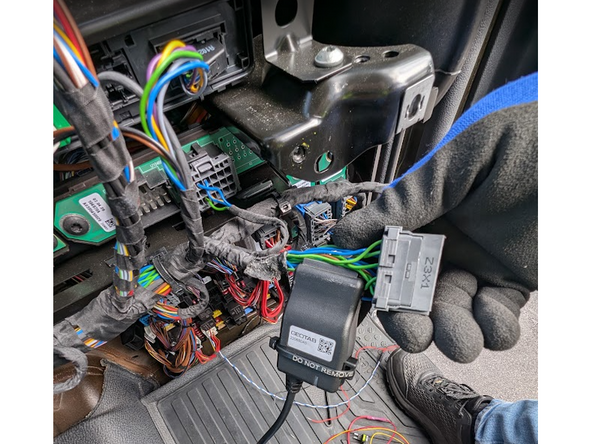
  9. Locate the gray connector labeled Z3X1 at the top center of the fuse panel. It contains multiple twisted pairs of blue and green wires. Attach the IOX-Clamp to any of these blue-and-green wire pairs.
    • Locate the gray connector labeled Z3X1 at the top center of the fuse panel. It contains multiple twisted pairs of blue and green wires. Attach the IOX-Clamp to any of these blue-and-green wire pairs.

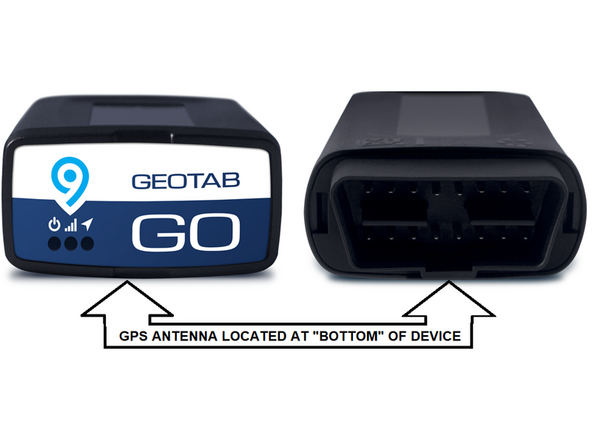
  10. The GPS antenna is on the underside of the Geotab device.
    • The GPS antenna is on the underside of the Geotab device.

    • Important: When securing the device in the vehicle, ensure this side faces away from metal surfaces.

  11. Firmly mount the GO device to a suitable bracket.
    • Firmly mount the GO device to a suitable bracket.

    • Ensure there is always a 20cm separation between the driver and the device. This applies to all users of the vehicle.

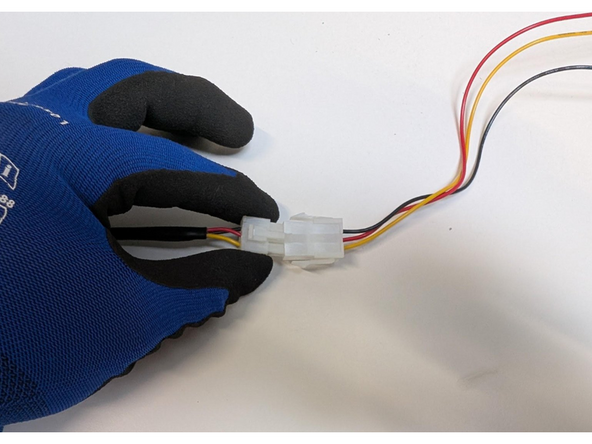
  12. Connect the white connectors of the HRN-CW03K3-A harness to each other.
    • Connect the white connectors of the HRN-CW03K3-A harness to each other.

  13. Use cable ties to secure loose parts and wires, leave the space clean, and close everything up.
    • Use cable ties to secure loose parts and wires, leave the space clean, and close everything up.

Finish Line

Jason Fox

Member since: 9/14/23

149 Guides authored

Team

Field Service Specialists Member of Field Service Specialists

8 Members

307 Guides authored